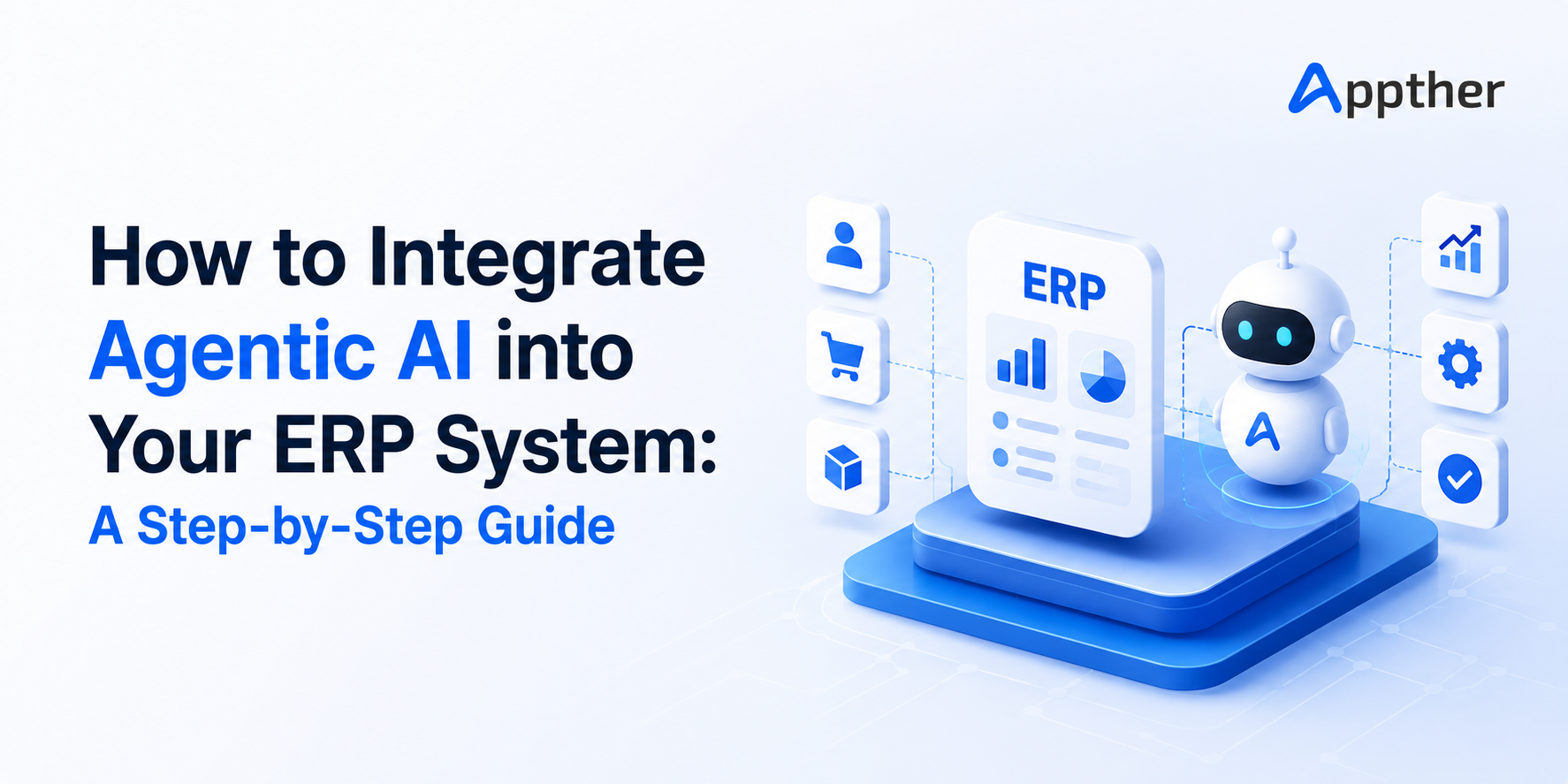
ERP systems are the backbone of modern business operations. They manage everything from procurement and inventory to finance and HR. But most ERP systems still rely heavily on manual inputs, repetitive approvals, and scheduled reports. That is where Agentic AI changes the game entirely.
Agentic AI is not just another automation tool. It is an intelligent system that can plan, decide, act, and learn entirely on its own within your existing ERP environment. In this guide, you will learn exactly how to integrate Agentic AI into your ERP system using API connectors, AI agents, workflow mapping, and data layers.
What Is Agentic AI and Why Does It Matter for ERP?
Before we dive into the integration steps, it is important to understand what makes Agentic AI different from traditional automation.
Traditional automation follows fixed rules. If condition A is met, do action B. It works well for predictable, repetitive tasks. But business operations are rarely that simple.
Agentic AI, on the other hand, can:
- Understand goals, not just rules
- Break down complex tasks into smaller steps
- Make decisions based on real-time data
- Learn from past actions and improve over time
- Operate autonomously across multiple systems
When you integrate Agentic AI into your ERP, you are essentially adding an intelligent co-worker that never sleeps, never makes data-entry errors, and continuously optimizes your business processes.
According to a 2025 Gartner report, enterprises that adopt AI-driven ERP automation see up to 40% reduction in manual processing time and a 25% improvement in reporting accuracy. In 2026, these numbers are climbing even higher as Agentic AI matures and ERP platforms deepen their native AI capabilities. These are numbers no business leader can afford to ignore.
Step 1: Define Your Integration Goals and Use Cases
The first step in any successful ERP-AI integration is clarity. You need to know what you want Agentic AI to do inside your ERP before you set up a single connector.
Start by asking your team these questions:
- Which tasks take the most manual effort each day?
- Where do errors most commonly occur?
- Which reports are always delayed or incomplete?
- Which approvals slow down operations the most?
- Common high-value use cases for Agentic AI in ERP include:
Finance & Accounting: Automated invoice processing, payment reconciliation, tax calculations, and period-end closing reports.
Procurement: Autonomous purchase order creation, vendor evaluation, three-way matching, and contract renewal alerts.
Inventory Management: Real-time stock level monitoring, auto-replenishment triggers, demand forecasting, and wastage alerts.
HR & Payroll: Automated leave approvals, payroll processing, compliance tracking, and employee onboarding workflows.
Sales & CRM: Quotation generation, order confirmation, customer follow-up sequences, and revenue forecasting.
Once you have identified your top three to five use cases, you are ready to move to the technical integration.
Step 2: Set Up API Connectors Between AI and ERP
API connectors are the bridges that allow your Agentic AI system to communicate with your ERP platform. Without a solid API layer, the AI cannot read data from your ERP or trigger actions inside it.
How to Set Up API Connectors
Choose a compatible AI platform. Popular choices include OpenAI (GPT-4 with function calling), LangChain agents, Microsoft Copilot Studio, or custom-built agents using Anthropic’s Claude. The key is that your AI platform must support structured API calls.
Review your ERP’s API documentation. Most modern ERP platforms, including Odoo, SAP, Oracle, and Microsoft Dynamics, offer REST APIs or XML-RPC endpoints. If you are using Odoo, its JSON-RPC API is well-documented and highly flexible. You can explore Odoo’s enterprise capabilities and API support through Appther’s Odoo Services.
Create API keys and authentication tokens. Always use role-specific API keys with the minimum permissions needed. This follows the principle of least privilege and keeps your ERP data secure.
Test the connection with simple read calls. Before building any agents, confirm that your AI system can successfully read data from your ERP, such as fetching a list of open purchase orders or pending invoices.
Build write-permission endpoints carefully. When your AI agents need to create or update records in the ERP (like generating a purchase order or posting a journal entry), test extensively in a sandbox environment before going live.
A well-designed API layer is the foundation of a reliable Agentic AI integration. Do not rush this step.
Step 3: Design and Deploy AI Agents for ERP Tasks
Once your API connectors are in place, it is time to build the agents that will actually do the work.
What Is an AI Agent in an ERP Context?
An AI agent is an autonomous software entity that receives a goal, gathers information through available tools (including your ERP APIs), makes decisions, and takes actions to achieve that goal.
For example, a Procurement Agent might be given the goal: “Ensure that stock levels for all Category A items never fall below the reorder point.”
To achieve this, the agent would:
- Query the ERP for current stock levels
- Check pending purchase orders already in the system
- Identify items approaching the reorder threshold
- Look up the preferred vendor from the ERP’s vendor master
- Automatically generate a purchase order for the required quantity
- Route the PO for approval (or auto-approve if within a defined threshold)
- Log all actions and notify the relevant team member
All of this happens without a human lifting a finger.
Key Agent Types to Deploy in ERP
Data Entry Agents: Automatically extract information from emails, PDFs, or scanned documents and post it into the ERP. Eliminates manual data entry from invoices, delivery notes, and customer orders.
Approval Workflow Agents: Monitor pending approvals, send intelligent reminders, escalate overdue items, and even auto-approve low-risk transactions based on predefined rules.
Exception Handling Agents: Detect anomalies such as a duplicate invoice, a price variance on a PO, or a suspicious expense claim, and flag or resolve them automatically.
Reporting Agents: Collect data from multiple ERP modules, generate formatted reports, and distribute them to the right stakeholders at the right time, without anyone needing to schedule a report run.
Customer Service Agents: Respond to customer order status queries, update delivery timelines, and handle returns by directly interacting with ERP sales and inventory modules.
For businesses looking to build custom AI agents deeply integrated with enterprise software, Appther’s Enterprise Software Development services offer tailored solutions designed for real-world scalability.
Step 4: Map Your Workflows for AI Execution
AI agents are only as good as the workflows they follow. Workflow mapping is the process of documenting every step, decision point, and system interaction involved in a business process and then translating that into a structure the AI can execute.
How to Map Workflows for Agentic AI
Document the current (“as-is”) process. Walk through each process step by step. Note every manual action, every system touchpoint, and every decision that a human currently makes.
Identify automation candidates. Highlight the steps that are repetitive, rule-based, or data-driven. These are the best candidates for AI automation.
Define decision logic. For each decision point, write out the rules clearly. For example: “If the invoice amount is within 5% of the PO value and the goods receipt is confirmed, auto-approve the invoice.”
Design the AI workflow. Map the new process where the AI agent handles the automated steps, and humans are only involved for exceptions, high-value decisions, or final approvals.
Validate with stakeholders. Before deploying, walk process owners through the AI workflow. Their feedback is invaluable for catching edge cases that could cause errors in production.
Well-mapped workflows reduce errors, improve processing speed, and make it much easier to audit what the AI has done and why.
Step 5: Build a Unified Data Layer
Agentic AI is only as intelligent as the data it has access to. A fragmented data environment where different departments store information in silos severely limits what AI agents can do.
What Is a Data Layer?
A data layer is a centralized, structured repository of all the information your AI agents need to make decisions. It sits between your ERP (and other business systems) and your AI agents, providing clean, consistent, and real-time data.
Components of a Good ERP Data Layer
Data Integration Pipeline: Tools like Apache Kafka, Azure Data Factory, or Odoo’s built-in connectors can continuously sync data from your ERP, CRM, e-commerce platform, and other systems into a unified store.
Master Data Management (MDM): Ensure that key entities such as customers, vendors, products, and employees have a single, clean record across all systems. Duplicate or inconsistent master data leads to AI errors.
Real-Time vs. Batch Data: For operational AI agents (like stock replenishment), real-time data feeds are essential. For analytical agents (like monthly reporting), batch data processed at regular intervals may be sufficient.
Data Governance and Security: Define who can access what data, implement role-based access controls, and ensure all data flows comply with relevant regulations such as GDPR or industry-specific standards.
A solid data layer transforms your ERP from a passive record-keeping system into an active intelligence engine that powers better decisions every minute of the day.
Step 6: Test, Monitor, and Continuously Improve
Deploying Agentic AI into your ERP is not a one-time project. It is an ongoing programme of testing, monitoring, and improvement.
Best Practices for Testing
- Always test new agents in a sandbox environment that mirrors production
- Use real historical data to simulate how the agent would have performed in the past
- Define clear success metrics before go-live (e.g., invoice processing time, error rate, approval cycle time)
- Conduct parallel runs where both the AI and humans perform the same task, then compare outcomes
Monitoring in Production
Once live, set up dashboards to monitor:
- Number of tasks completed by AI agents per day
- Error and exception rates
- Tasks escalated to humans (and why)
- Processing time compared to the pre-AI baseline
- Cost savings achieved
Continuous Improvement
Agentic AI systems improve with feedback. Regularly review the cases where agents made errors or required human intervention. Use these cases to refine decision logic, improve data quality, or retrain underlying models. The more feedback you give the system, the smarter it becomes.
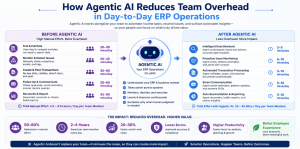
One of the most tangible benefits of integrating Agentic AI into your ERP is the dramatic reduction in manual, low-value work across teams.
Consider a mid-sized manufacturing company with a procurement team of six people spending 60% of their time on purchase order creation, vendor follow-ups, and invoice matching. With Agentic AI handling those tasks, those same six people can focus on strategic vendor negotiations, cost reduction initiatives, and supply chain risk management. These are activities that actually move the needle for the business.
This is not about replacing people. It is about freeing them from repetitive tasks so they can contribute at a higher level.
Other day-to-day operational improvements include:
- Finance teams closing books faster because reconciliation and accruals are automated
- Operations managers receiving real-time exception reports instead of waiting for end-of-day summaries
- Sales teams getting AI-generated quotations in minutes instead of hours
- HR departments processing payroll and compliance tasks with zero manual intervention
Automated reporting is another major win. Instead of analysts spending hours pulling data from multiple ERP modules and formatting spreadsheets, Agentic AI generates accurate, formatted reports on a daily, weekly, or on-demand basis and delivers them directly to the right stakeholders.
How Agentic AI Reduces Team Overhead in Day-to-Day ERP Operations
One of the most tangible benefits of integrating Agentic AI into your ERP is the dramatic reduction in manual, low-value work across teams.
Consider a mid-sized manufacturing company with a procurement team of six people spending 60% of their time on purchase order creation, vendor follow-ups, and invoice matching. With Agentic AI handling those tasks, those same six people can focus on strategic vendor negotiations, cost reduction initiatives, and supply chain risk management. These are activities that actually move the needle for the business.
This is not about replacing people. It is about freeing them from repetitive tasks so they can contribute at a higher level.
Other day-to-day operational improvements include:
- Finance teams closing books faster because reconciliation and accruals are automated
- Operations managers receiving real-time exception reports instead of waiting for end-of-day summaries
- Sales teams getting AI-generated quotations in minutes instead of hours
- HR departments processing payroll and compliance tasks with zero manual intervention
Automated reporting is another major win. Instead of analysts spending hours pulling data from multiple ERP modules and formatting spreadsheets, Agentic AI generates accurate, formatted reports on a daily, weekly, or on-demand basis and delivers them directly to the right stakeholders.
Getting Started: Your Agentic AI + ERP Roadmap
Here is a simple roadmap to guide your integration journey:
Month 1: Identify use cases, assess your ERP’s API capabilities, and choose your AI platform.
Month 2: Set up API connectors, build your data layer, and develop your first two or three agents in a sandbox.
Month 3: Test agents with historical data, conduct stakeholder reviews, and refine workflows.
Month 4: Go live with the first agents, monitor performance, and gather feedback.
Month 5 onwards: Expand to additional use cases, optimize existing agents, and scale across departments.
The businesses that act on this today will have a significant competitive advantage over those that wait.
Conclusion
Integrating Agentic AI into your ERP system is one of the most impactful investments a modern business can make. By setting up robust API connectors, deploying intelligent AI agents, mapping your workflows carefully, and building a unified data layer, you can transform your ERP from a static system of record into a dynamic, self-optimizing operational engine.
The result? Faster processes, fewer errors, leaner teams, and reports that are always accurate and always on time.
If you are ready to take the next step, explore how Appther’s Odoo Services can help you build a powerful, AI-ready ERP foundation. You can also discover how Appther’s Enterprise Software Development team can design a custom Agentic AI solution tailored to your business.
The future of ERP is intelligent, autonomous, and already here. The question is: when will you make the move?